Donor Advised Fund Portal Instructions
Fund statements, donor advised grant recommendations, and other information is available to fund holders and representatives through the GLCF's online portal.
If you are a fund holder or representative, and you would like to be granted access to use of the online portal, please contact
To submit grant recommendations for the annual Fall or Spring grant cycles, please follow the instructions listed below:
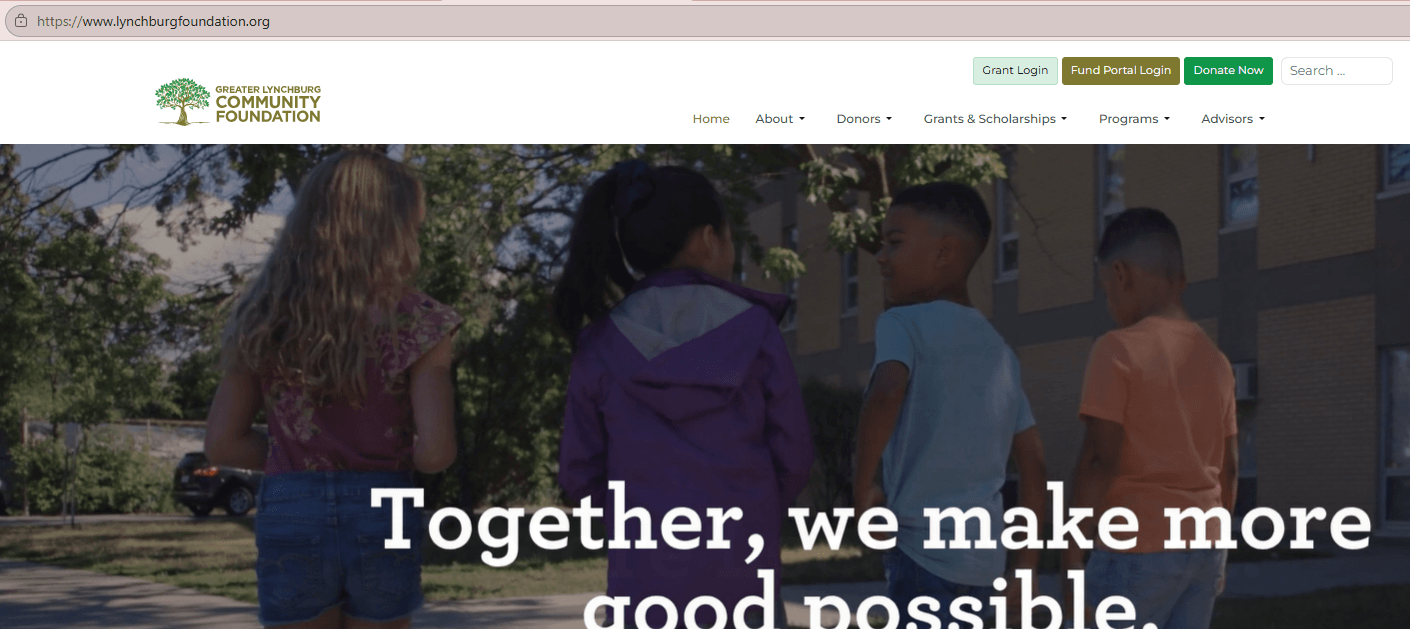
- On the https://www.lynchburgfoundation.org home page, select the "Fund Portal Login" button in the top right corner.
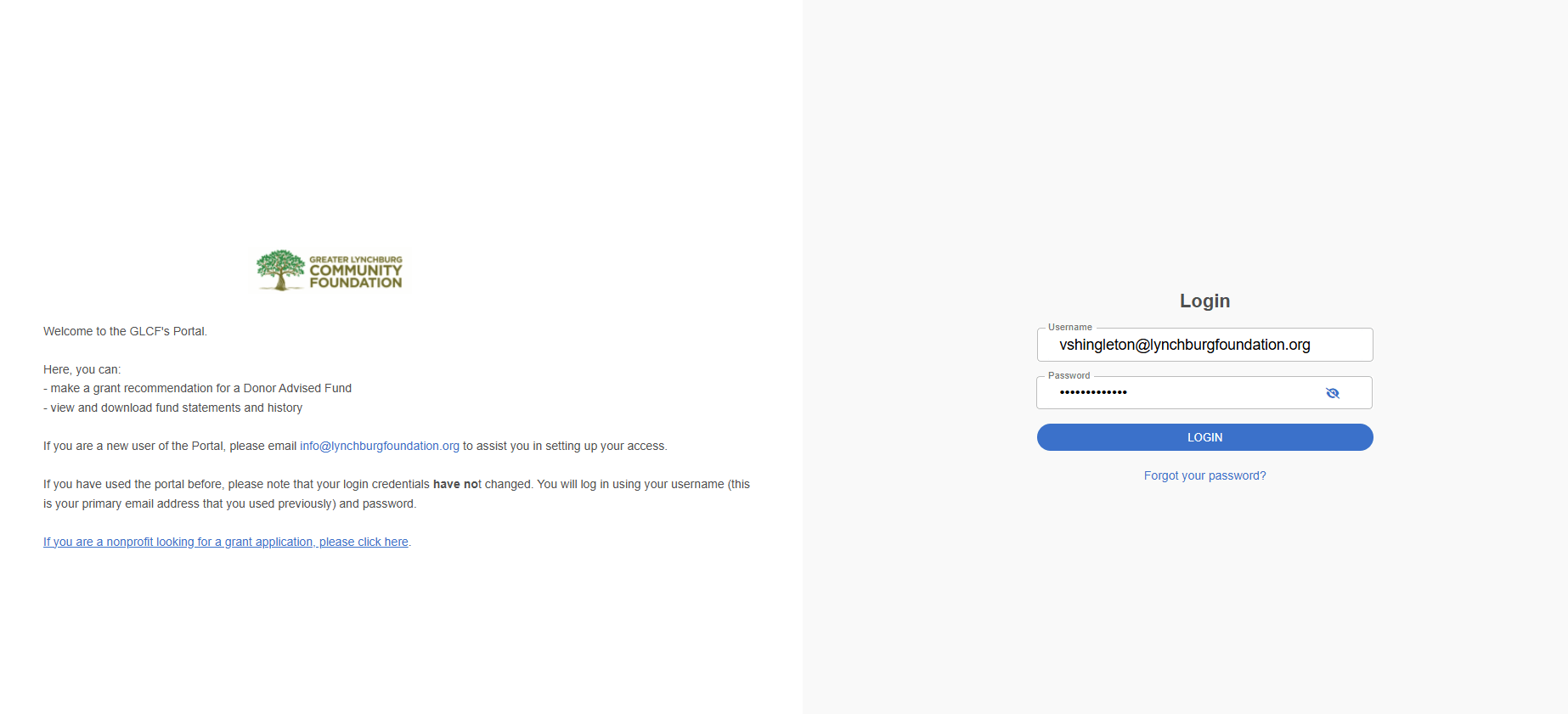
- Enter your login information provided by GLCF staff. If this is your first time logging in, you will enter your temporary password and be prompted to create a new password.
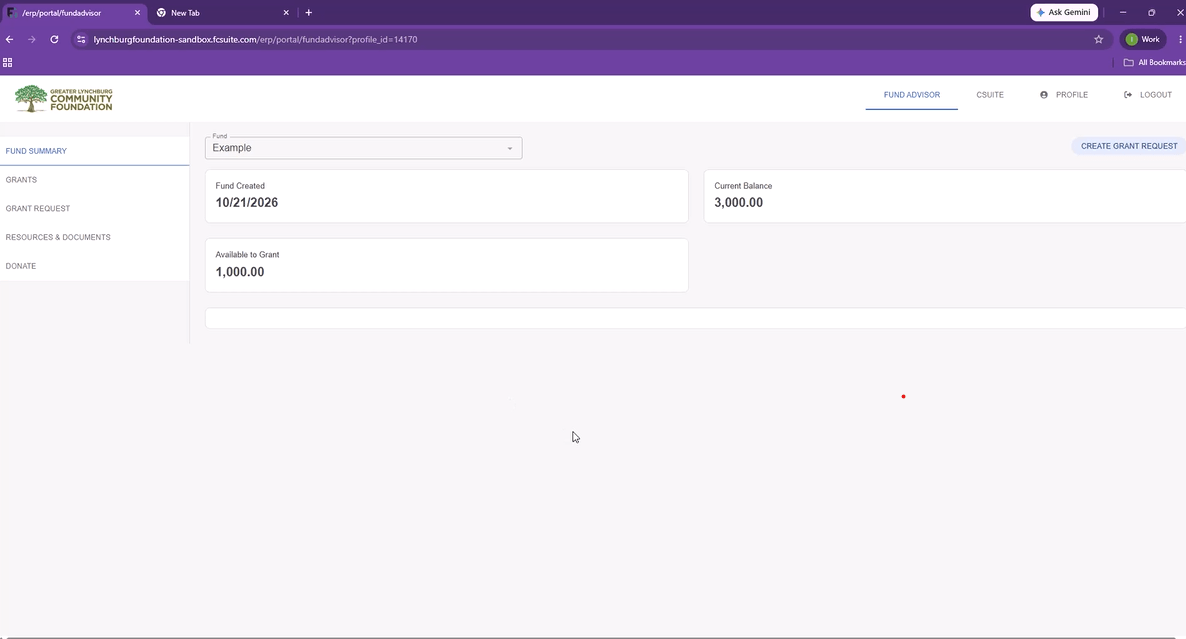
- After logging in, you will be brought to the Fund Summary page. To create a new grant recommendation, select "Grant Request" on the left side menu.
- On the Grant Request Page, select "Create New Grant Request" in the top right corner.
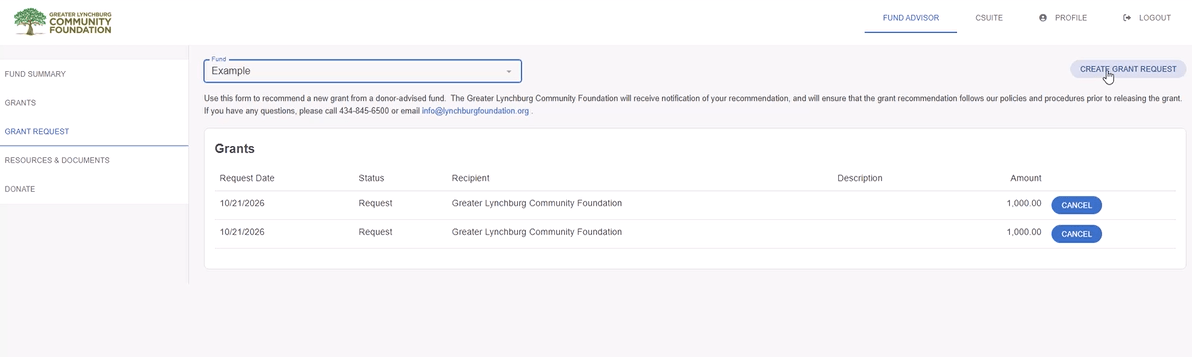
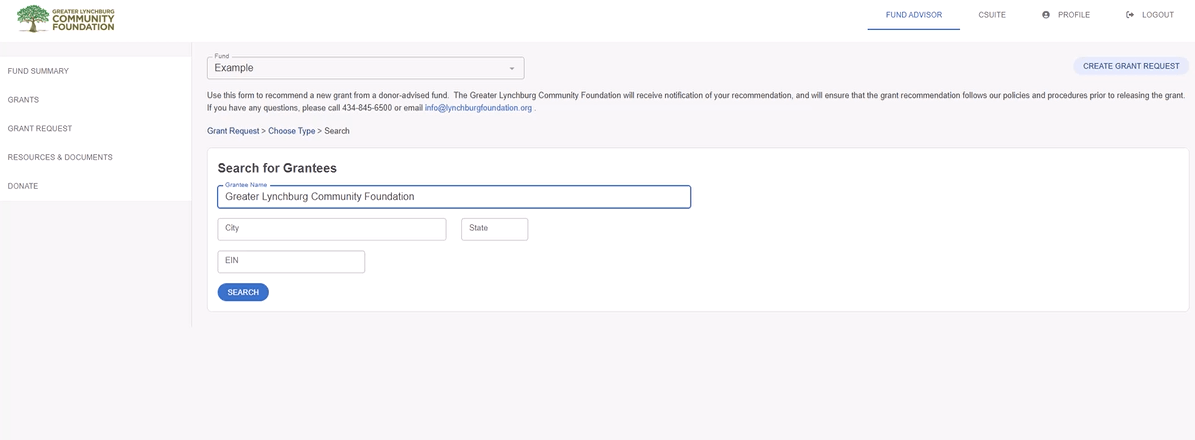
- Select which organization will receive the recommendation by either selecting a previous grantee or using the search feature.
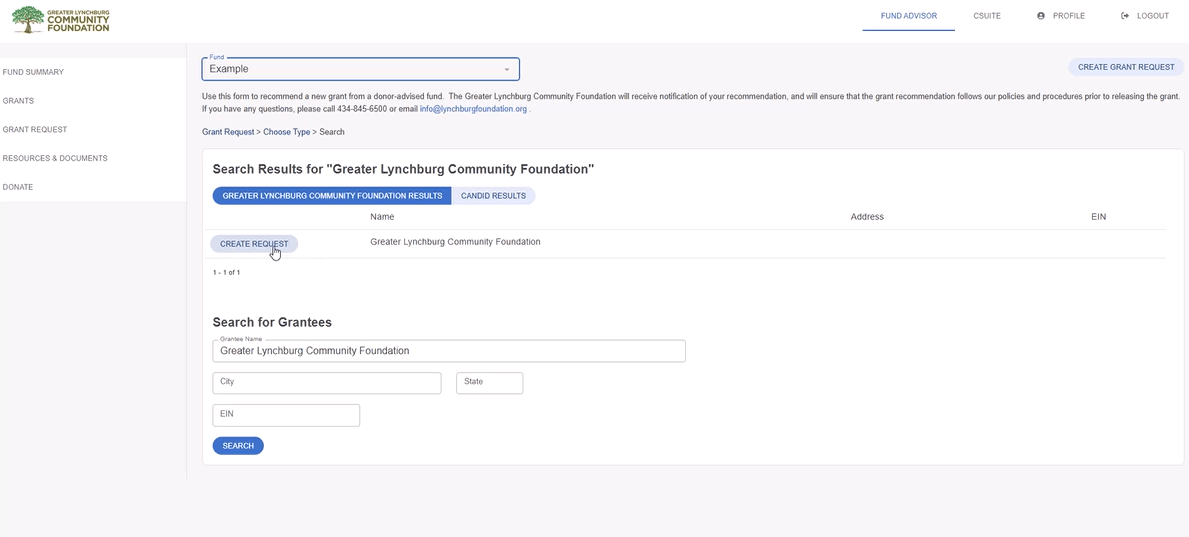
- After selecting a grantee, select "Create Request."
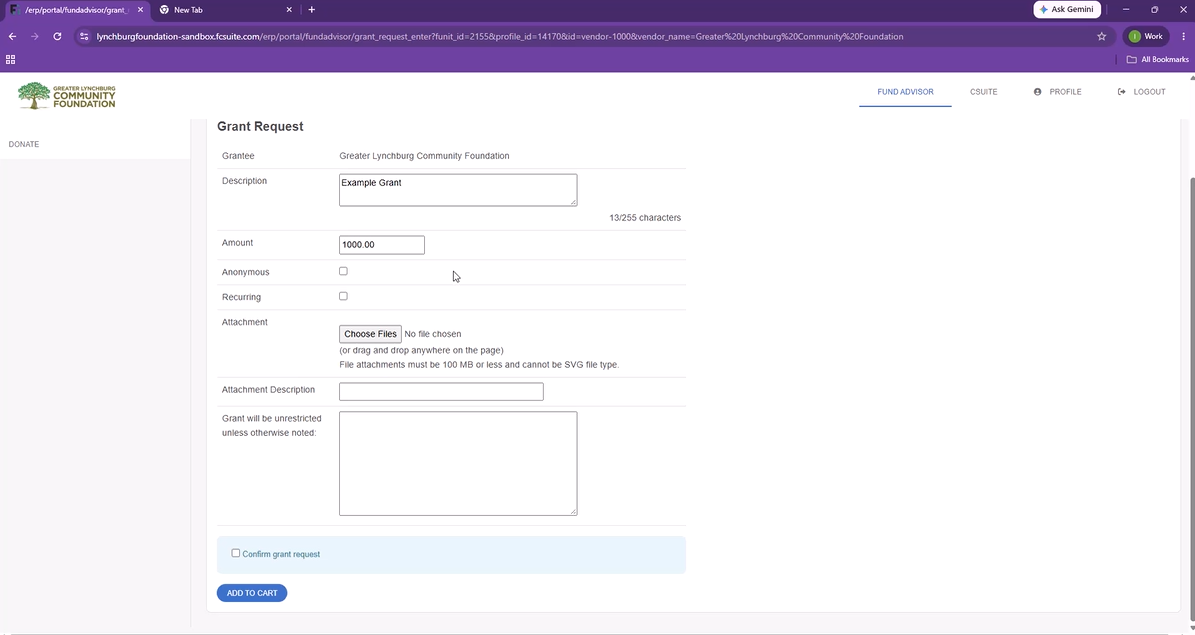
- On the next page, enter information for the description of the grant, amount, and any restrictions for the grant. At the bottom of the page, select the "Confirm Grant Request" box, and then select "Add to Cart."
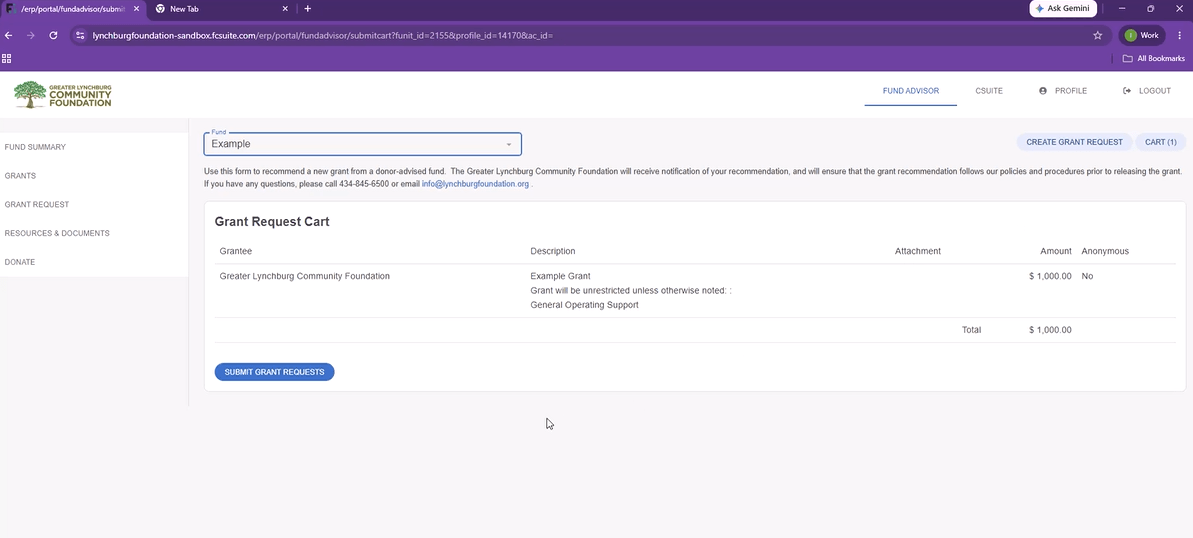
- On the "Grant Request Cart" page, you may review the details of your grant recommendation and any other recommendations that are currently in your cart. After reviewing your cart, select "Review Grant Requests."
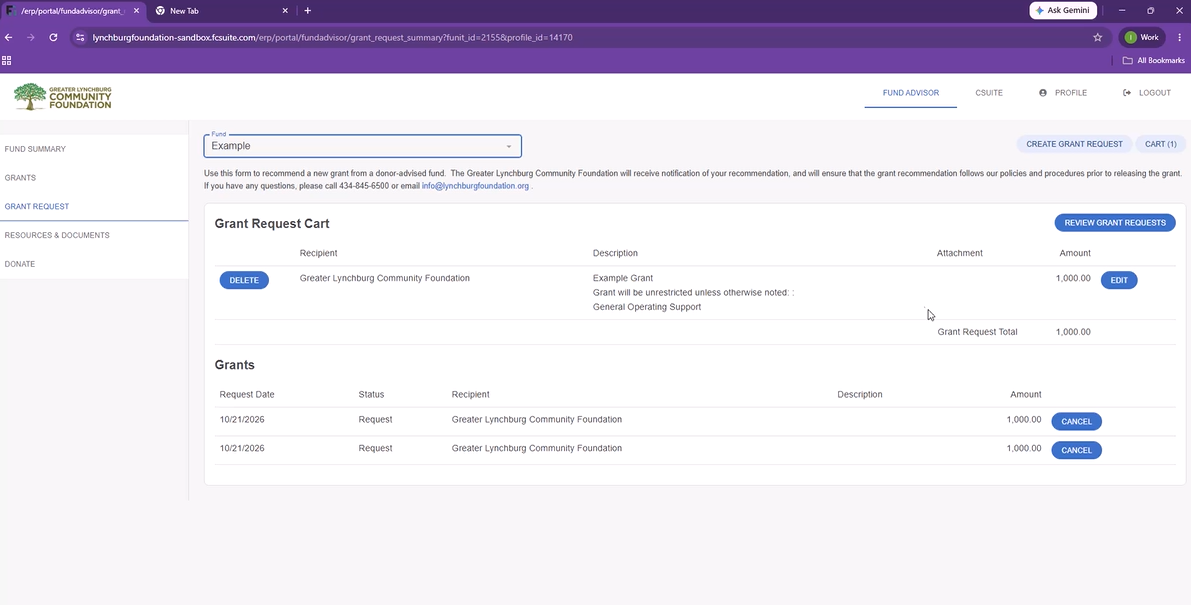
- On the next page, to submit your grant recommendations to the GLCF, select "Submit Grant Requests." After submitting, you should receive an email confirmation to your login email.
*Any grant recommendations left in the cart without being submitted will not be received by the GLCF.*